














Available on AppExchange

Segment in Salesforce. Send from Marketing Cloud. No SQL.

Build audiences on any Salesforce object and write them straight into Marketing Cloud data extensions – with field mapping, related values and scheduled refresh. No synchronized object copies, no query activities to join them.

Included in Ultimate · add-on for Professional

Campaign Audience Builder · Data extensionScheduled
  1. 01
    Salesforce dataAccountOpportunity ProductContractCase
  2. 02
    Renewal Q1 2027 – contracts ending1,186 contacts · refreshed daily
  3. Data extensionSendable · cleared before each run

How it works. Three steps from Salesforce data to activation.

  1. 01

    Build the audience in Salesforce

    Accounts, opportunities, products, contracts, cases and custom objects – combined visually, with exclusions and aggregates.

  2. 02

    Map it to a data extension

    Create a new data extension or pick an existing one, then map contact fields, values from related records and fixed values.

  3. 03

    Schedule and send

    Refresh the data extension on a schedule and use it in Journey Builder, sends and automations.

What the integration does. From CRM criteria to a sendable data extension – without SQL in between.

Map Salesforce fields, related values and fixed values

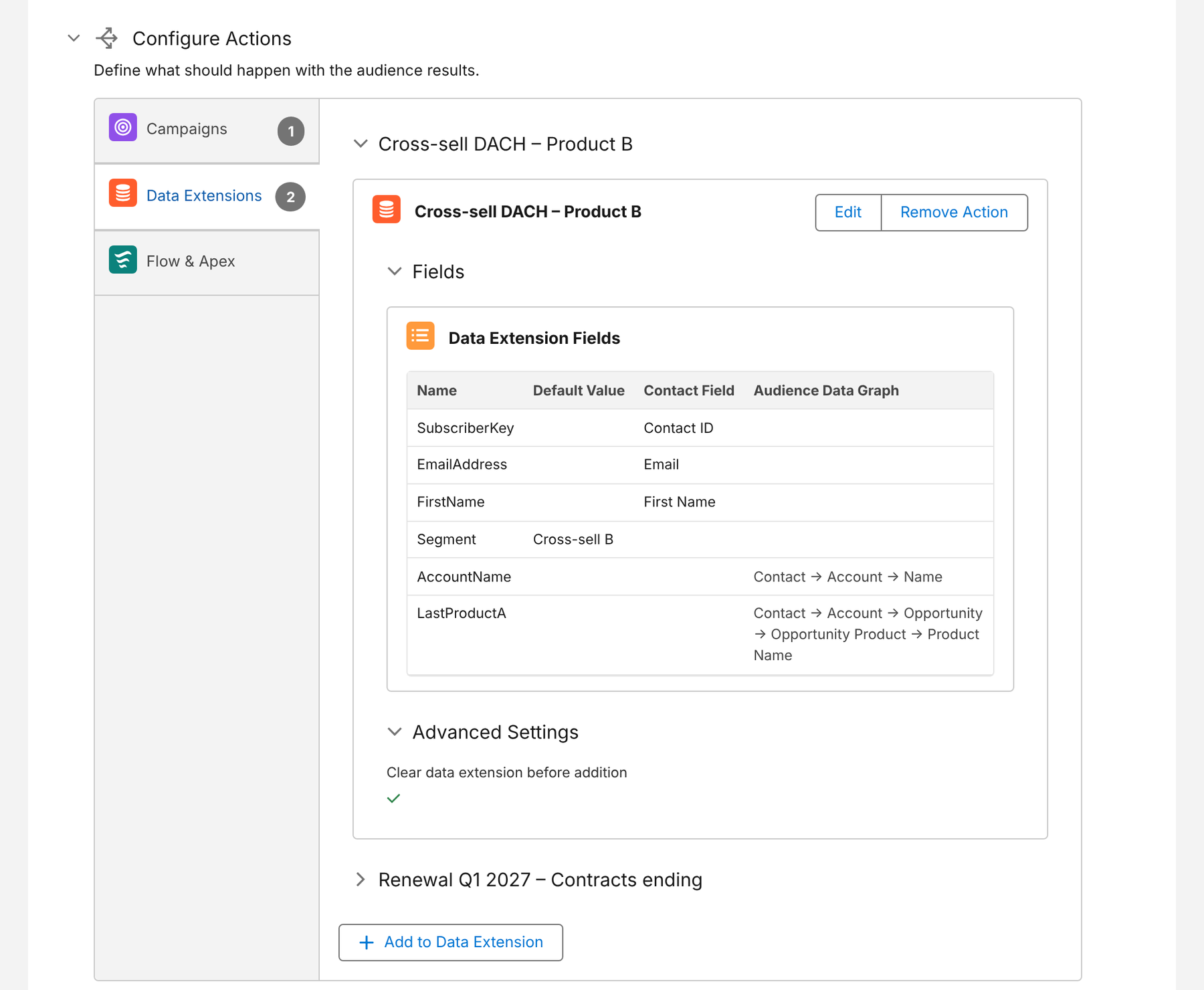
Each data extension column gets a source: a contact field, a value from a related record along the audience path, or a fixed value such as the segment name. Related values are reduced to one value per record by a sort field and order.

  • New or existing data extensions
  • Aggregates into number and date columns
  • Clear the data extension before each addition
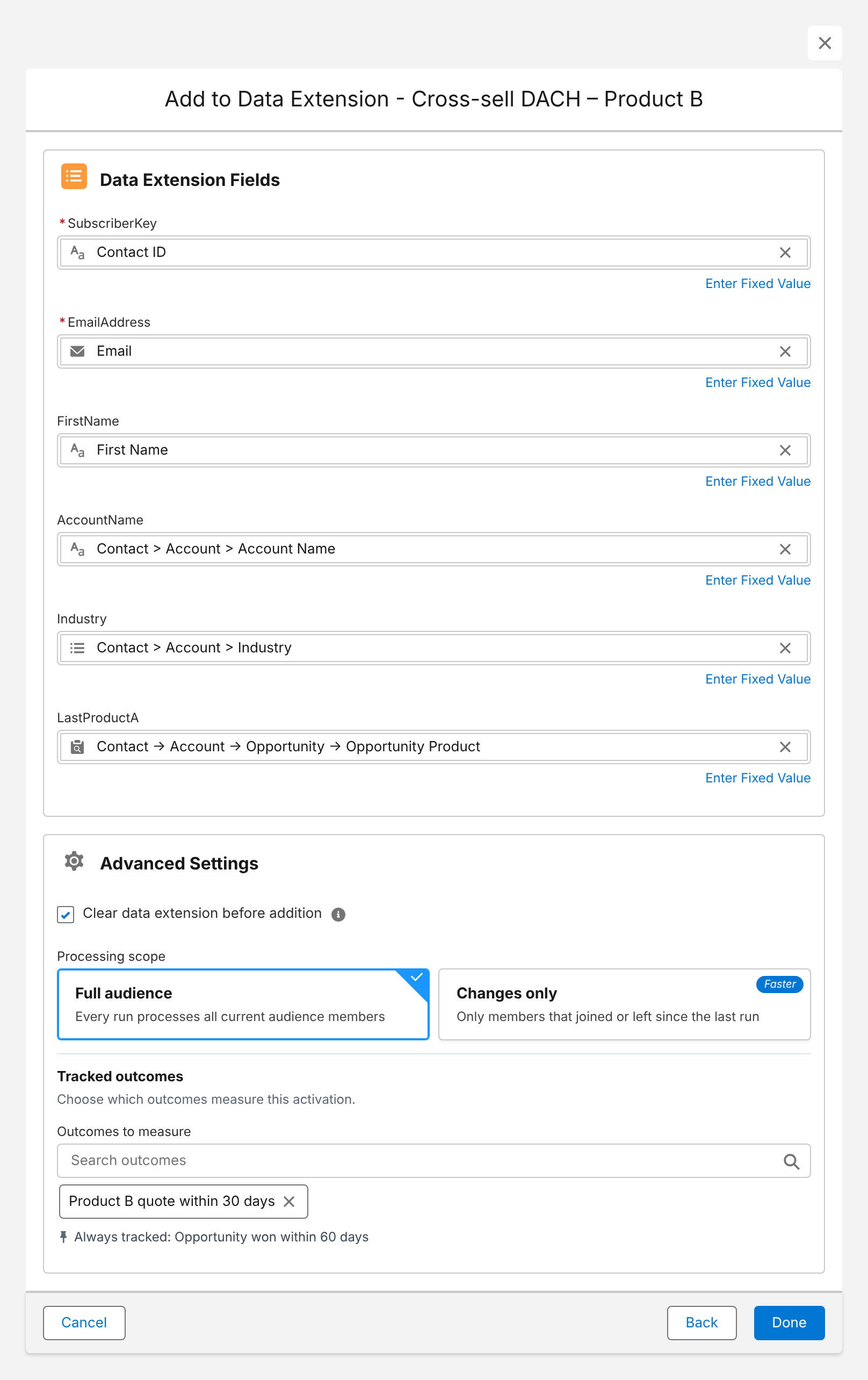
Campaign Audience Builder dialog mapping contact and account fields and the won product to a Marketing Cloud data extension

Data extensions that stay current

Add one or more data extensions to an audience schedule – next to Salesforce campaigns and Flow or Apex actions. Every run refreshes the data your journeys read.

  • Daily, weekly or custom schedules
  • Several destinations from one audience
  • Change approval for unexpected jumps
Audience schedule with two Marketing Cloud data extensions as actions

The joins you would otherwise write by hand

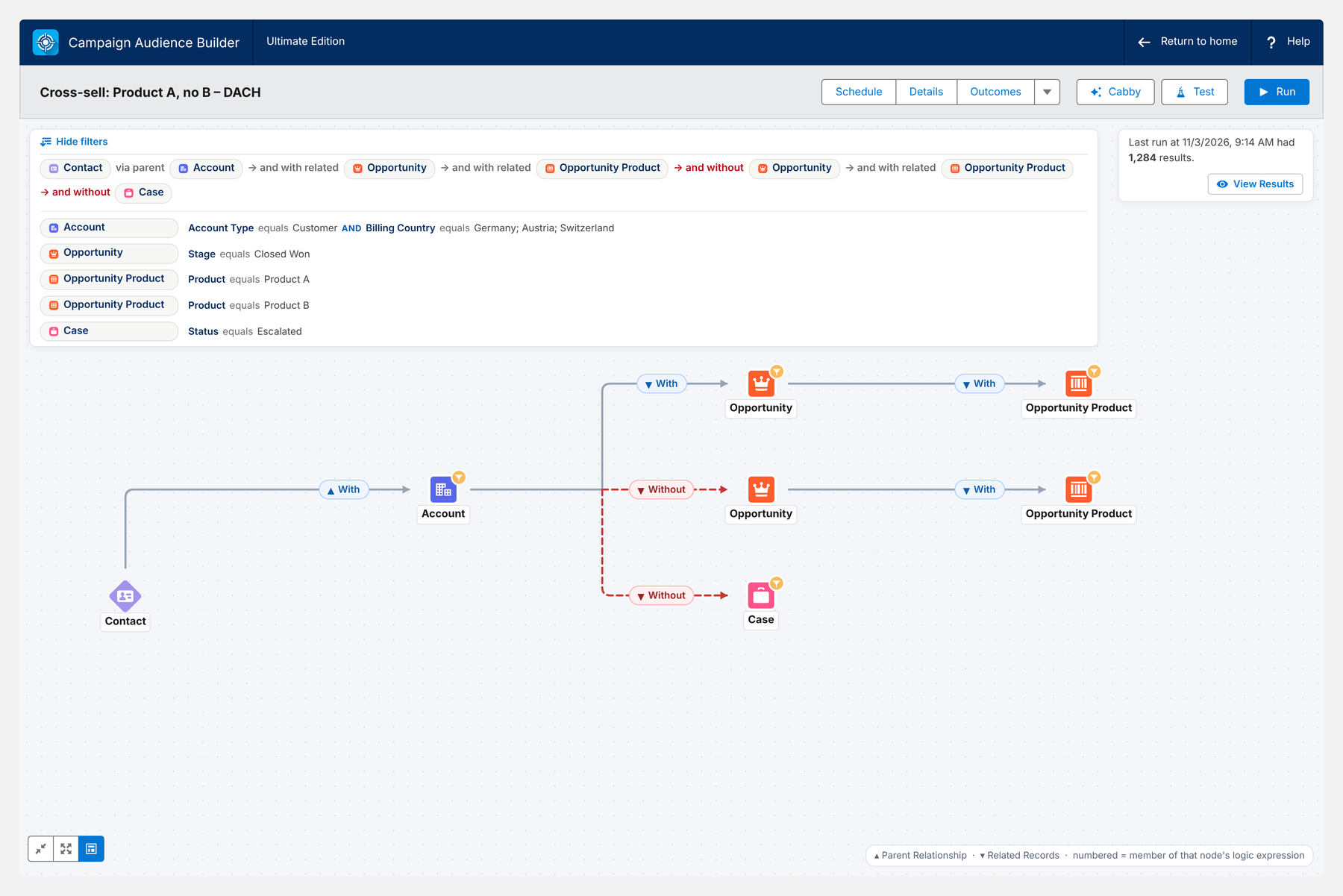
Customers with product A but without product B, without open escalations, in DACH – built visually on your CRM data model instead of query activities on synchronized data extensions.

  • “With” and “without” conditions across objects
  • Aggregates such as revenue in the last 12 months
  • Priority sequences for overlapping audiences
Audience canvas: DACH customers with product A, excluding product B and escalated cases

Outcomes against a control group

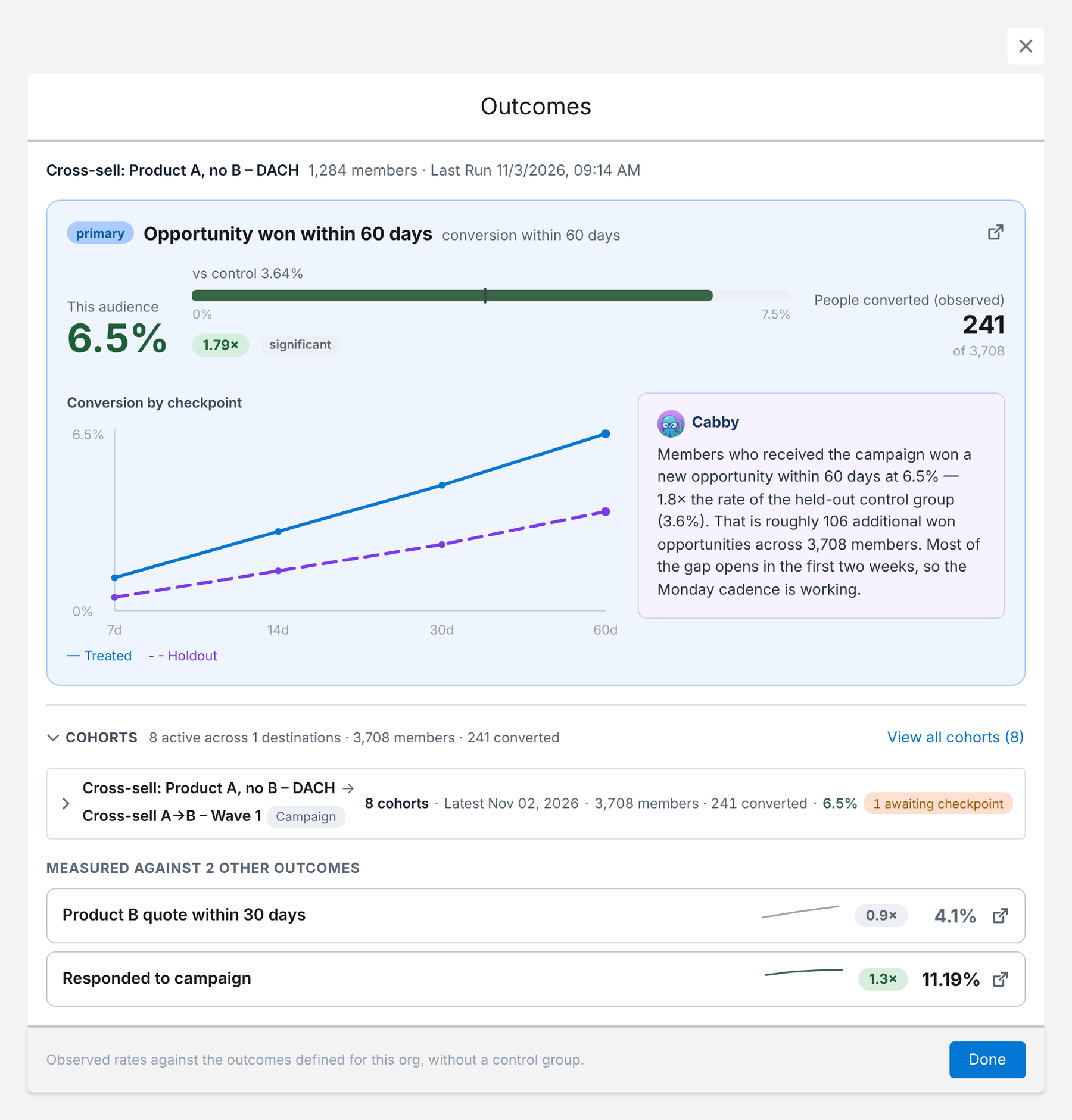
Track outcomes such as “opportunity won within 60 days” for every activation – campaigns and data extensions – and see the lift compared with a control group.

  • Conversion per audience and destination
  • Extra conversions over the control group
Outcome results with conversion of target and control group

Journeys that start from CRM data. Where Marketing Cloud teams usually reach for SQL.

Cross-sell journeys

Customers who own product A but not product B, with the last won product as a personalization column.

Renewal journeys

Contracts ending in the next 90 days, refreshed daily so new cases join and renewed ones drop out.

Service follow-up

Contacts with a case closed in the last 7 days and no other open case – for satisfaction surveys.

Reactivation

Accounts without a won opportunity in 18 months, excluding open pipeline.

Audience Builder replacement

Rebuild CRM-based Audience Builder audiences in Salesforce before it’s switched off.

Nonprofit appeals

Donor segments from NPSP or Nonprofit Cloud for email journeys, with one segment logic for email and print.

Native vs. with Campaign Audience Builder. Where the integration changes the work.

TopicMarketing Cloud aloneWith Campaign Audience Builder
Segment logicSQL query activities or simple data filters Visual canvas, no SQL
Salesforce CRM dataSynchronized data extensions per object – not sendable, joined with SQL Audience built on the CRM data model, written into a sendable data extension
Personalization columnsJoins and lookups in SQL Mapped from related records along the audience path
RefreshAutomations with query and filter activities Scheduled audience runs
Measuring impactSend tracking Outcomes compared with a control group

Requirements and setup. What you need – and where the setup guide lives.

Requirements

  • Campaign Audience Builder Ultimate, or Professional with the Marketing Cloud add-on
  • An installed package in Marketing Cloud for the API integration
  • Remote site settings and the Marketing Cloud integration permission set in Salesforce
  • Sendable target data extensions for sends and journeys

Setup guides

Step-by-step instructions in the Campaign Audience Builder documentation. Test everything in a sandbox without a time limit.

Questions, answered.

What teams ask about the Marketing Cloud integration.